Table of Contents
Goal
In this tutorial, you will learn how to:
- Retrieve and flatten the extra metadata of a record in Kadi4Mat.
- Use the
Record.flatten_extras()function from the kadi-apy library.
Prerequisites
Before you start, make sure you have:
-
Installed the kadi-apy library in your Python environment.
- See: pypi.org-kadi-apy and kadi-apy.readthedocs
-
Configured access to your Kadi4Mat instance.
Specific for this tutorial
- The persistent ID of the record you want to inspect. (for this example:
318)
Function Overview
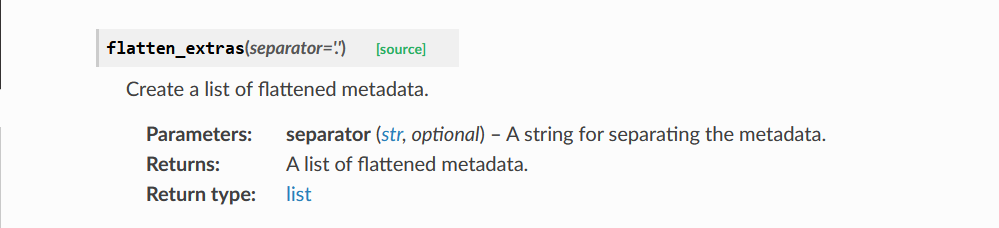
The Record.flatten_extras() function retrieves the extra metadata of a record and flattens the nested structure into a single dictionary using a chosen separator.
See full API reference: kadi-apy.readthedocs-flatten_extras
Function structure and return type:
Final Workflow and Results
- Python script used to retrieve the tags of a record (Persistent ID: 318).
# Import the manager to connect to Kadi4Mat
from kadi_apy import KadiManager

# Import the Record class to work with records in Kadi4Mat
# Record allows you to open, create, or access existing records and their data (like tags)
from kadi_apy.lib.resources.records import Record

# Persistent ID of the record we want to access
record_id_example = 318

# Create a manager (connection) using your saved configuration and PAT
manager = KadiManager()

# Open an existing record using its ID (replace 995 with your record ID)
record_example = Record(manager, id = record_id_example)

# Retrieve the extras from Kadi4Mat and flatten them using '.' as separator
flattened_metadata = record_example.flatten_extras(separator='.')

print("\n",flattened_metadata,"\n")
Executing the script in the command line to display the flattened metadata of the record.

Verify Results:
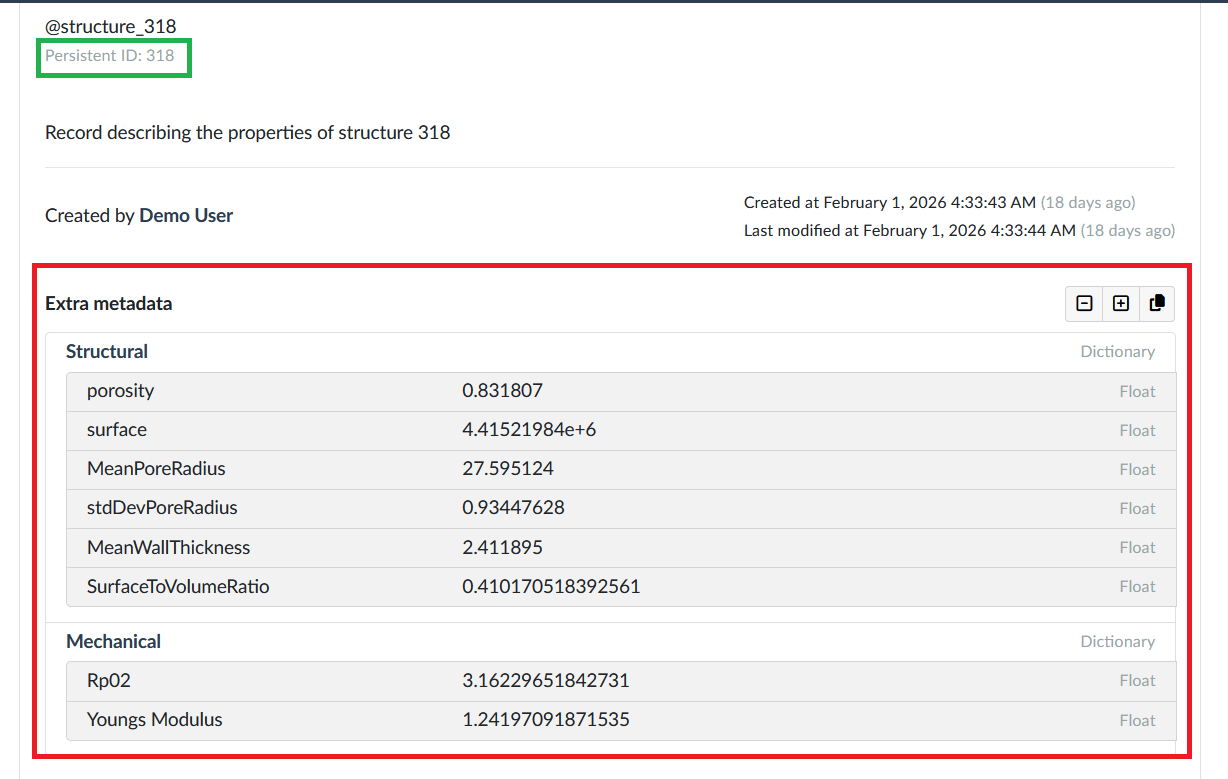
The same record in Kadiweb showing the original extras for comparison.
Pretty-Printing Flattened Metadata
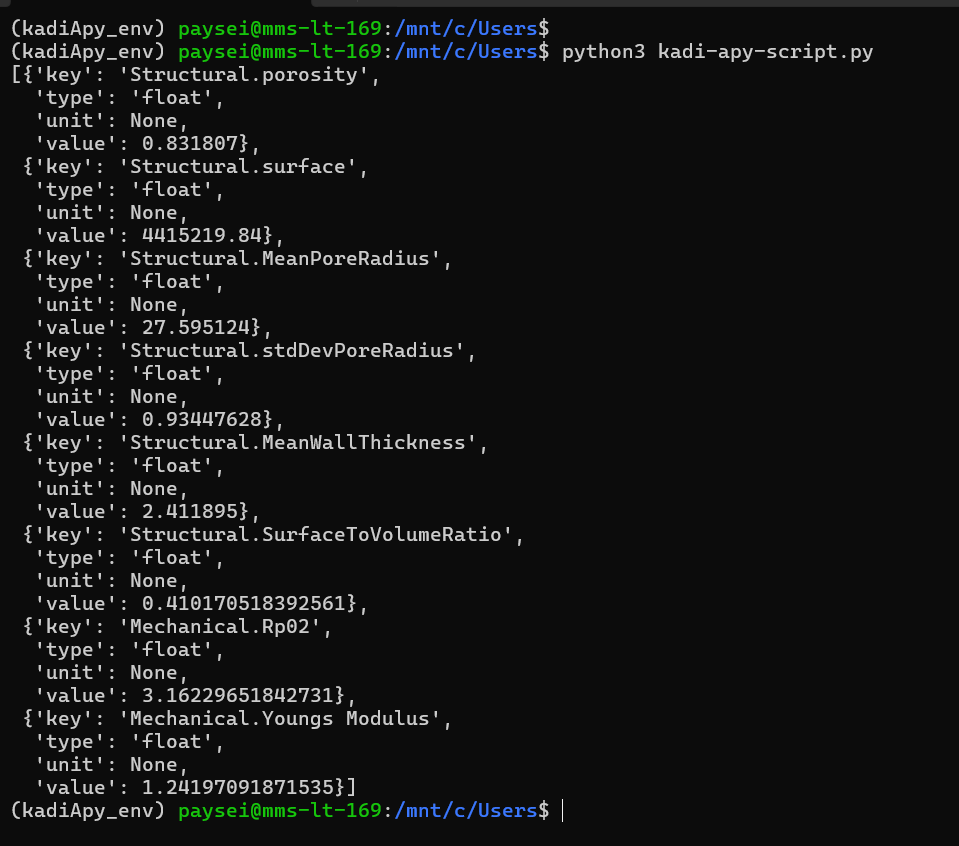
After retrieving and flattening the record’s extras, the raw result can be complex and hard to read. You can format the output for better readability.
Using pprint
from pprint import pprint

# Nicely print the flattened metadata
pprint(flattened_metadata)
Using json.dumps
import json

# Convert to JSON string with indentation
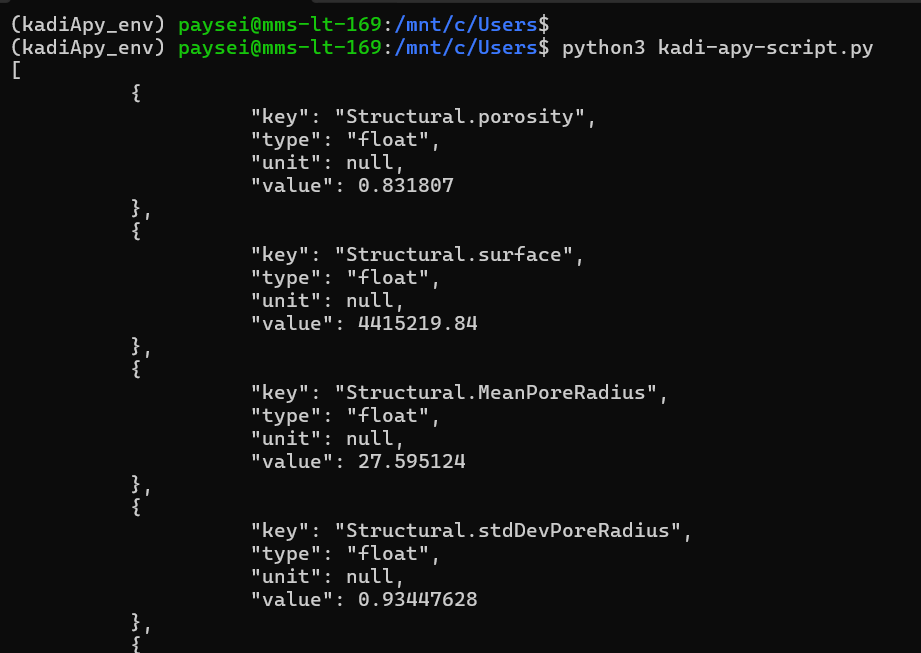
print(json.dumps(flattened_metadata, indent=4, ensure_ascii=False))