Table of Contents
Goal
Run a Python script inside KadiStudio with dynamic arguments
Important note: The script accepts command-line arguments for the output file path, the number of rows, and the value to fill in y.
Prerequisites
-
KadiStudio is installed and running.
- See: Installation Guide
-
Tools are downloaded and available.
- See: in progress
-
You are familiar with Built-in Nodes and Environment Nodes.
-
You already have the Python script (py_script_with_arg.py).
- Python 3 is installed.
- (Optional) Required Python libraries (sys, pandas) are installed or available via a virtual environment.
Final Workflow
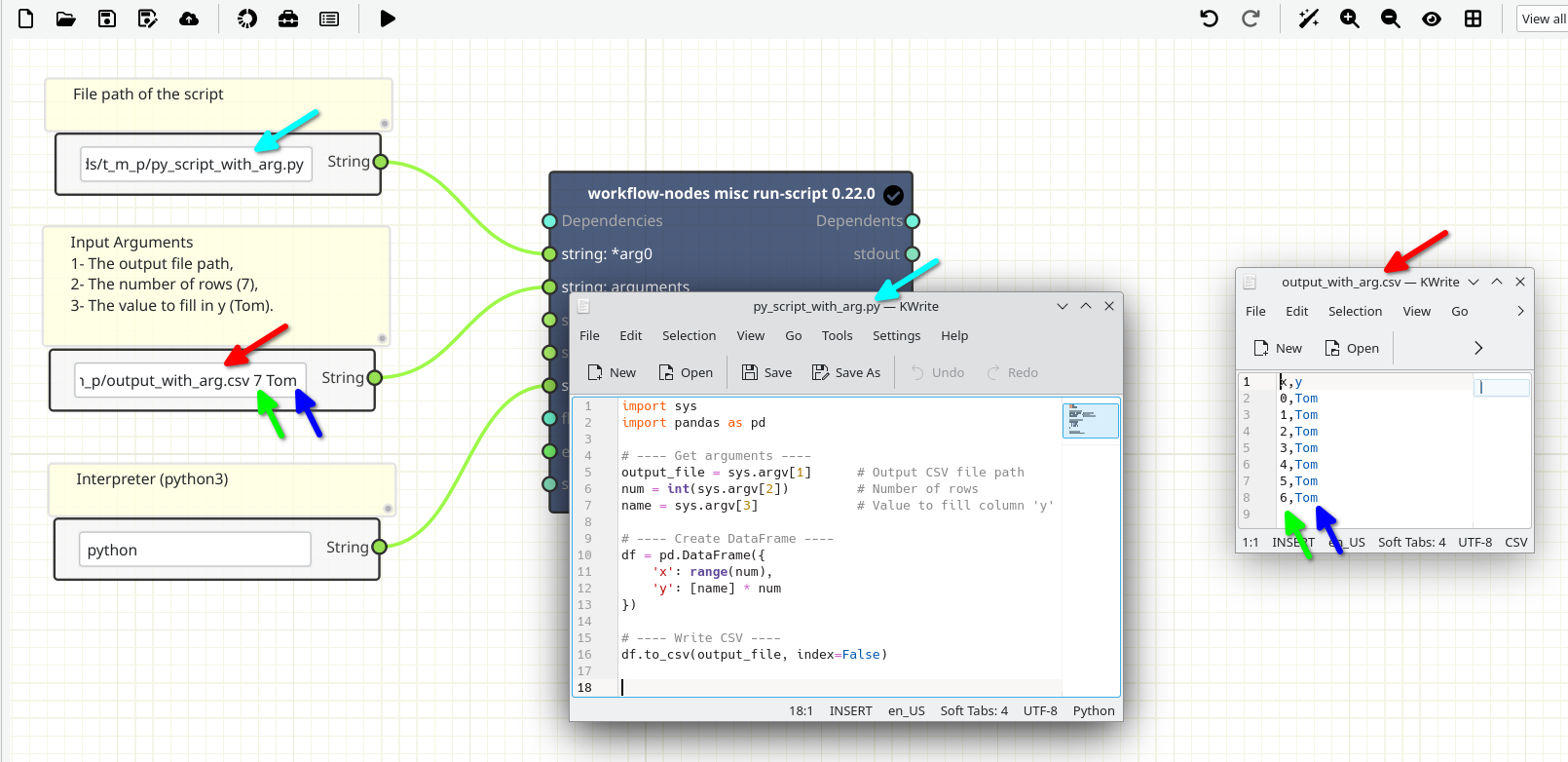
The figure below shows the final layout of the workflow.
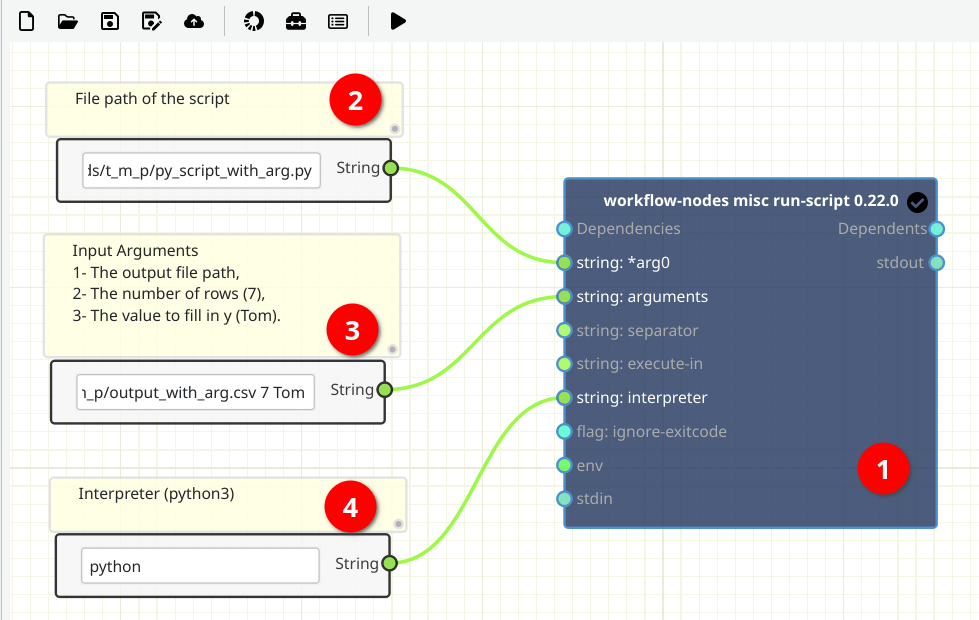
Python Script
The image below shows the contents of the Python script used in this tutoria
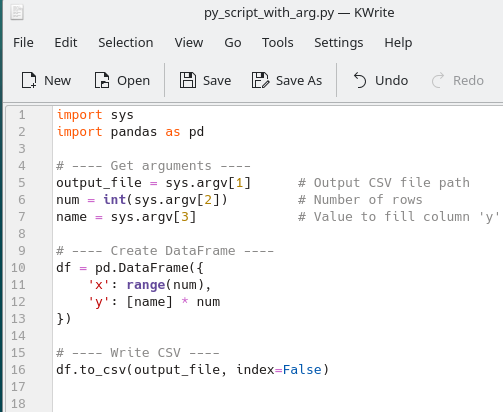
Creating and Filling out
1- [Node 1] - Add a workflow-nodes misc run-script Node
-
Where to read more:
https://workflow-nodes.readthedocs.io/en/stable/usage/cli.html#workflow-nodes-misc-run-script
-
How:
- In the workspace, right-click and from Add tool (Top), search run and select workflow-nodes misc run-script (Bottom).
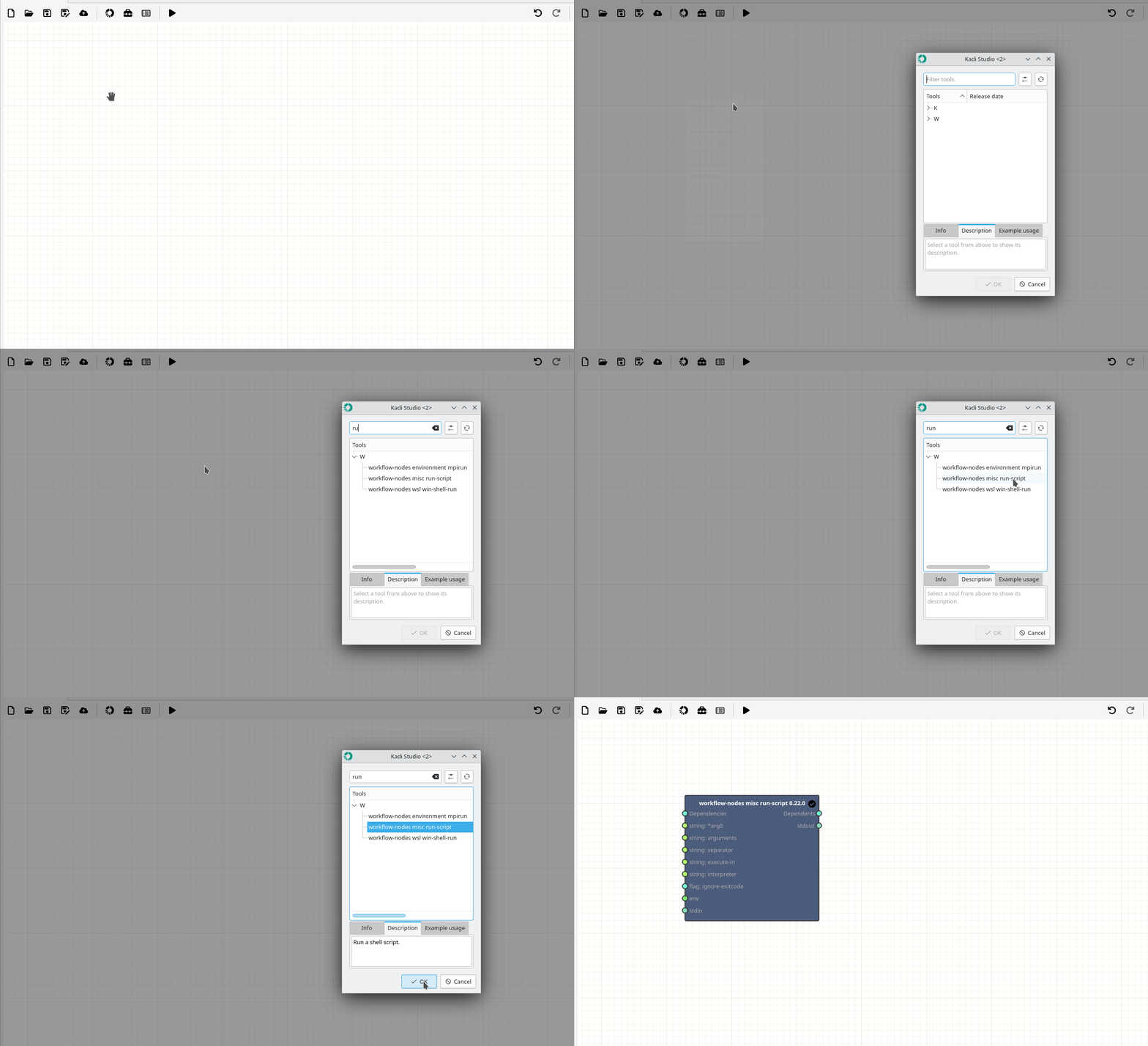
2- Add and fill out Source Text Nodes (Variables)
-
How:
- In the workspace, right-click and select Add Source → String (2, 3, 4).
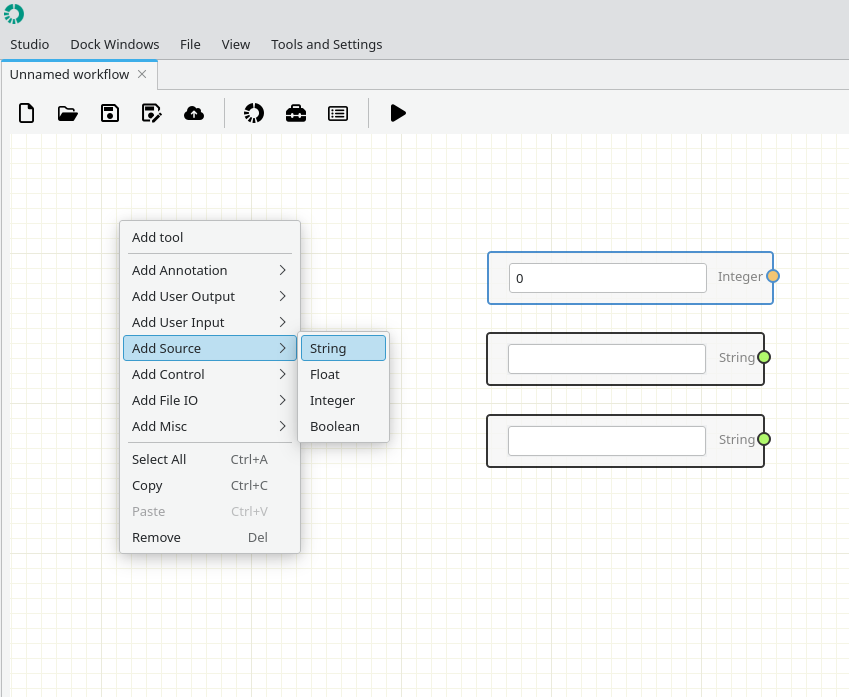
- Node 2 : File path of the script (Mandatory).
- Node 3 : Input Arguments [The output file path, The number of rows (7), The value to fill in y (Tom)].
- Node 4 : Interpreter (Mandatory).
Connection
- Pay attention to the ports colors.
- Strings (light green)
Running
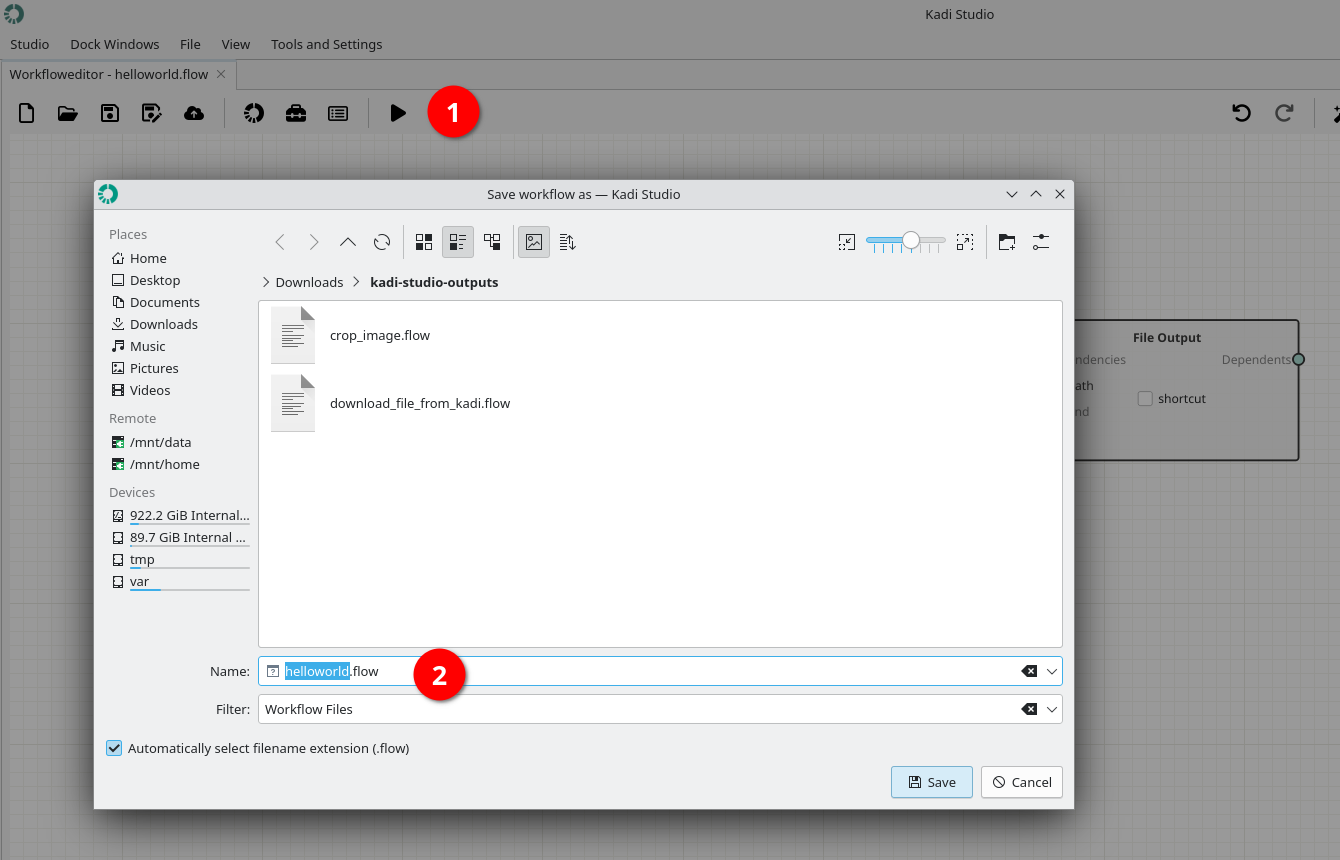
1- Save the workflow by pushing Play button.
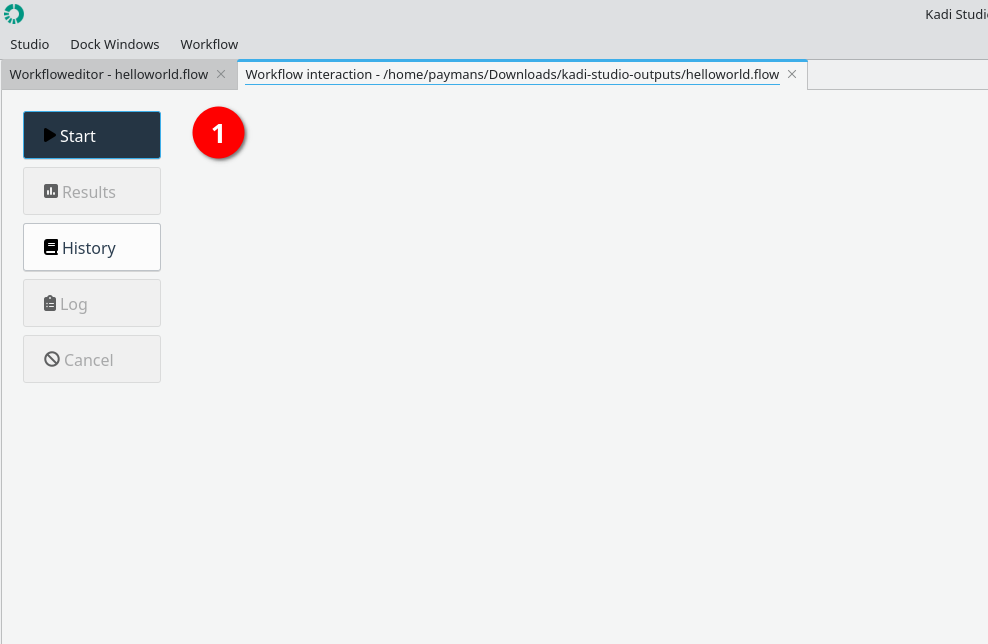
2- Start running the workflow by using Start button.
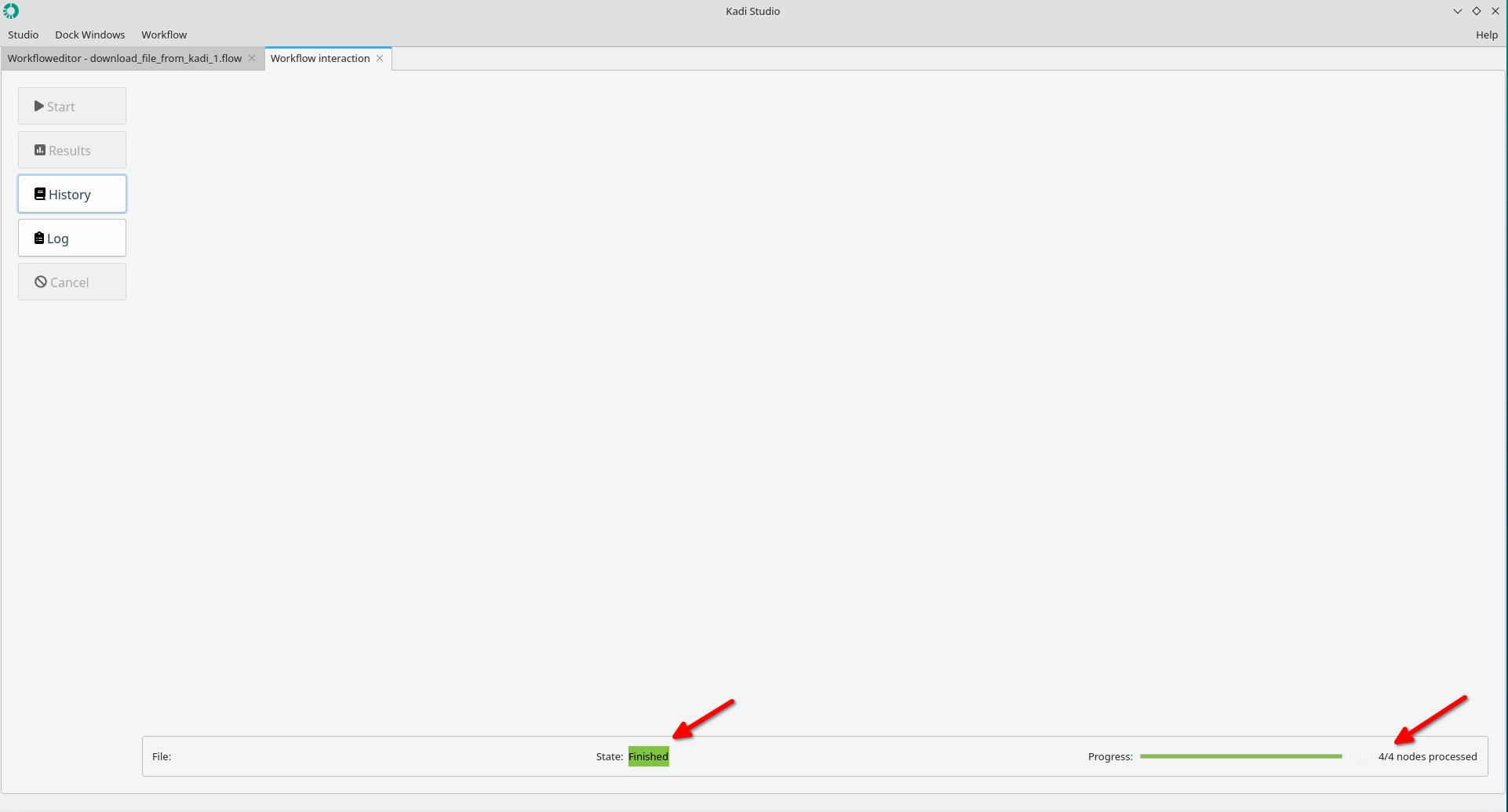
3- Status: Finished
4- The file is stored at the specified path.
Results
The figure below shows the results.
Done.