Table of Contents
- Goal
- Prerequisites
- Final Workflow
- Sample Persistent IDs
- Creating and Filling out
- Connection
- Filling out
- Running
Goal
Retrieve a file (e.g., csv, json) from KadiWeb and save it to a local directory.
Prerequisites
-
KadiStudio is installed and running.
- See: Installation Guide
-
Tools are downloaded and available.
- See: in progress
-
You are familiar with Built-in Nodes and Environment Nodes.
-
The Record within Kadi4Mat repository is publicly accessible.
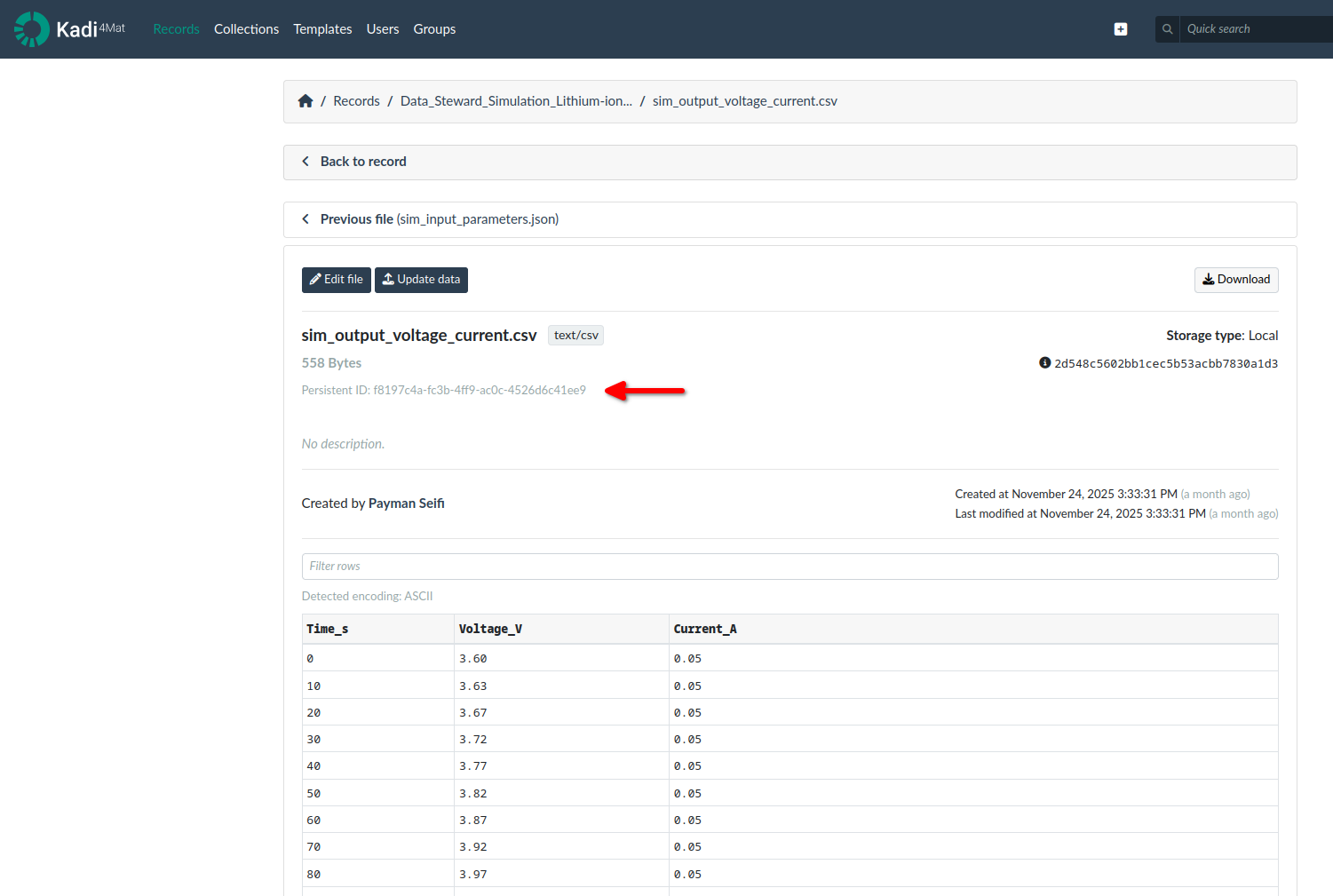
- The Persistent ID of the Record and the file (e.g., csv, json) is known.
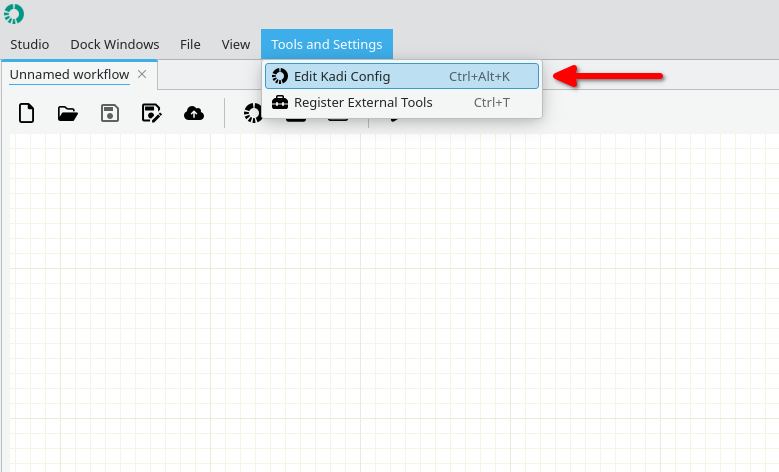
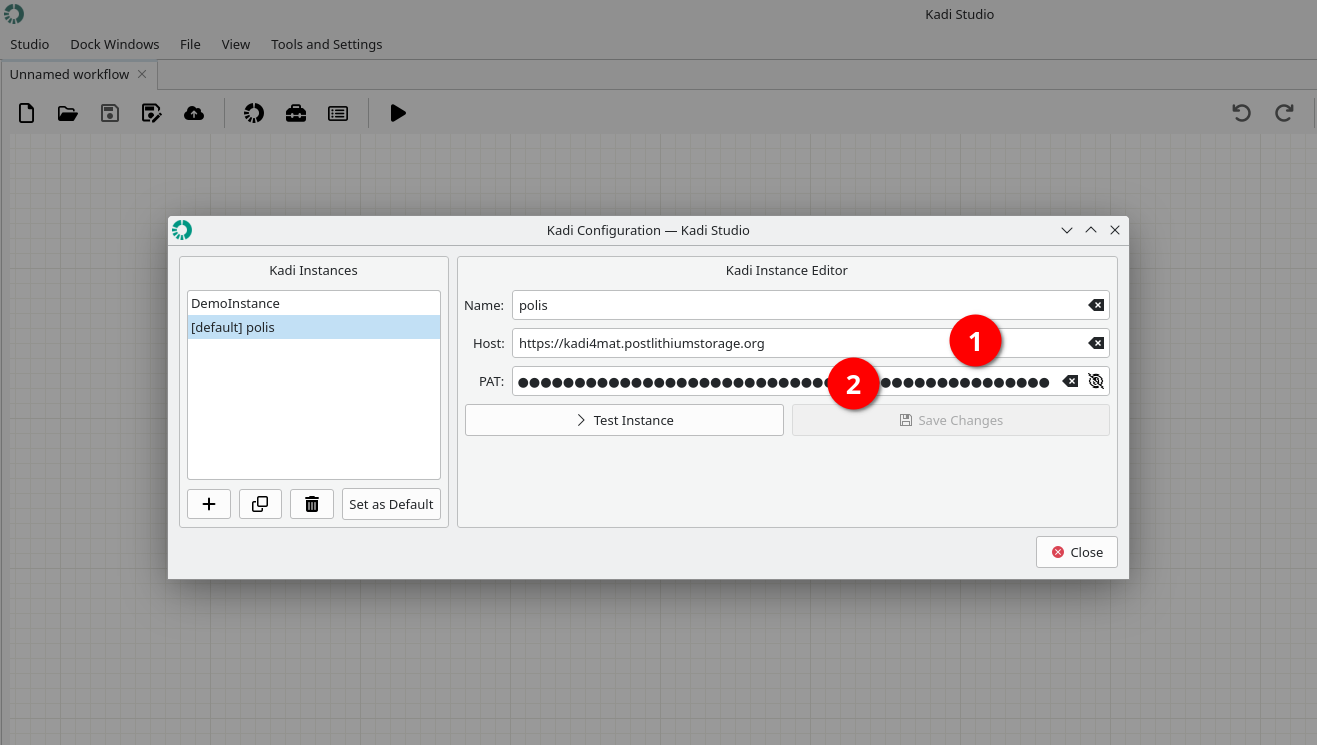
- The KadiStudio linked with the Kadi4Mat repository (Figure below).
- This requires its host address (Host) [1] as well as a personal access token (PAT) [2].
Final Workflow
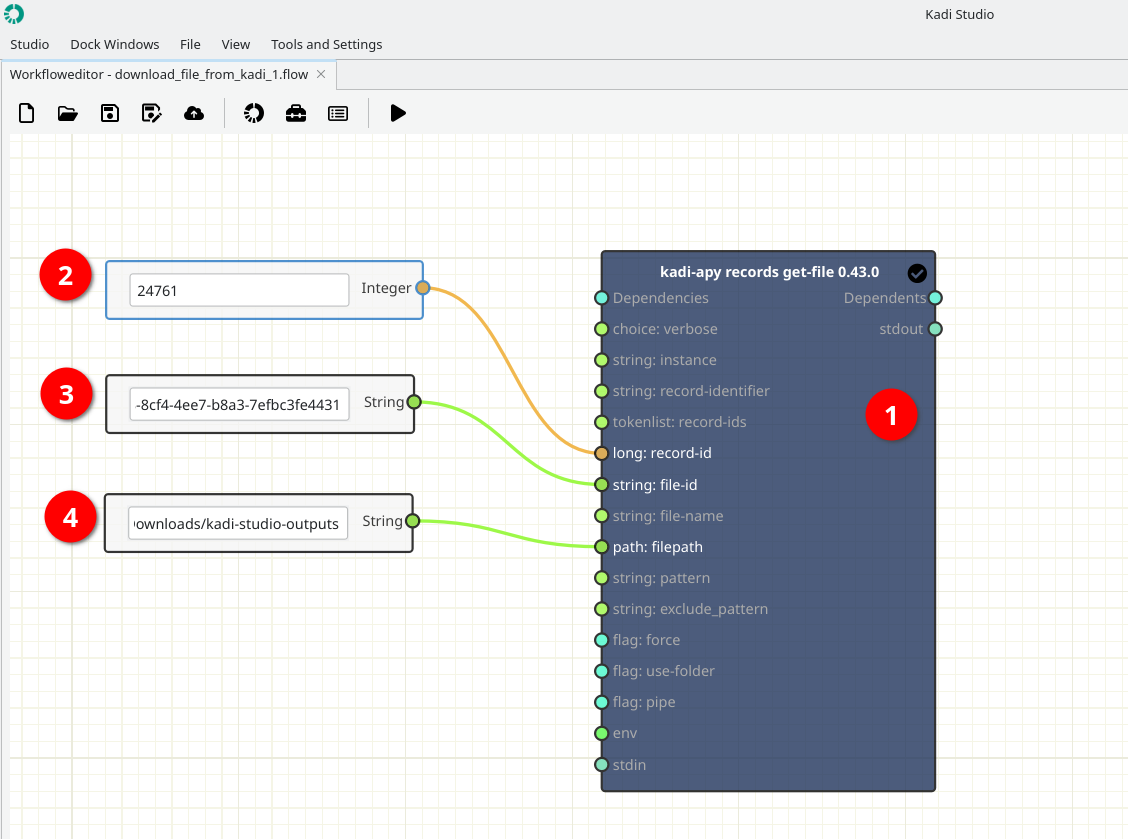
The figure below shows the final layout of the workflow.
Sample Persistent IDs
The images below show persistent IDs for the record (top) [Node 2] and the file (bottom) [Node 3] used in this example.

Creating and Filling out
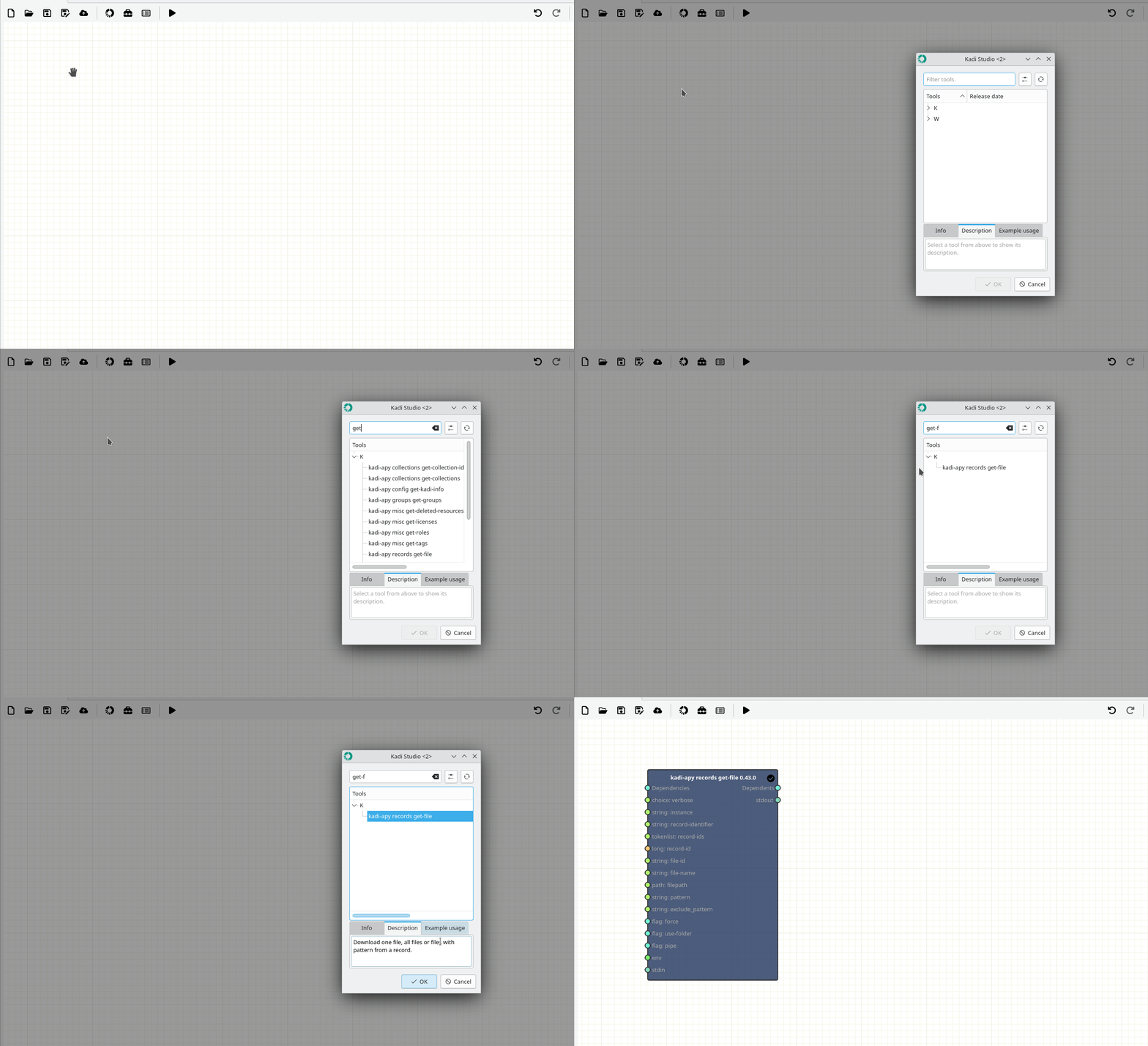
1- [Node 1] - Add a kadi-apy records get-file Node
-
Where to read more:
https://kadi-apy.readthedocs.io/en/stable/usage/cli.html#kadi-apy-records-get-file
-
How:
- In the workspace, right-click and from Add tool (Top), search get-file and select kadi-apy records get-file (Bottom).
2- [Node 2, 3, 4] Add Source Text Node**s (Variables)
-
How:
-
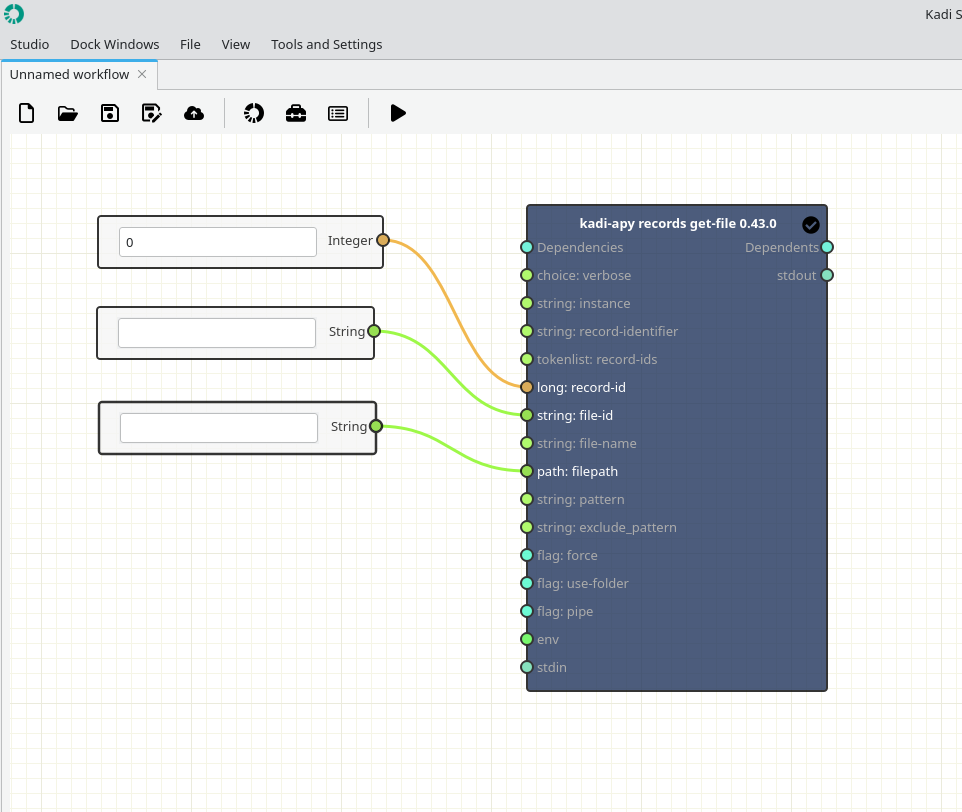
In the workspace, right-click and select Add Source → Integer (record-id) [Node 2].
-
In the workspace, right-click and select Add Source → String (file-id) [Node 3].
-
In the workspace, right-click and select Add Source → String (filepath) [Node 4].
-
Important note: Node 4 must be filled out, otherwise you will get an error.)
-
Connection
- Pay attention to the ports colors.
- Integer ports (light orange)
- Strings (light green)
Running
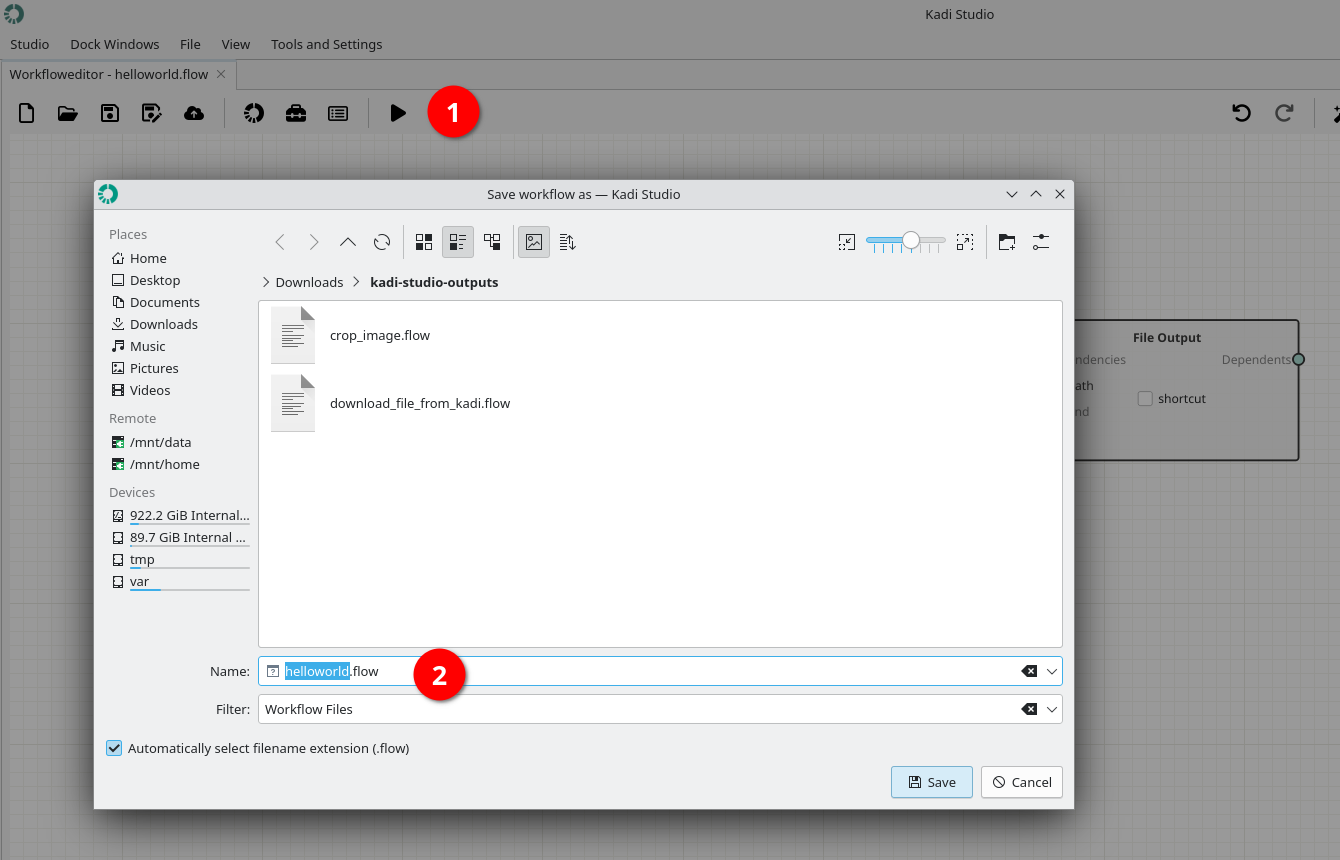
1- Save the workflow by pushing Play button.
2- Start running the workflow by using Start button.
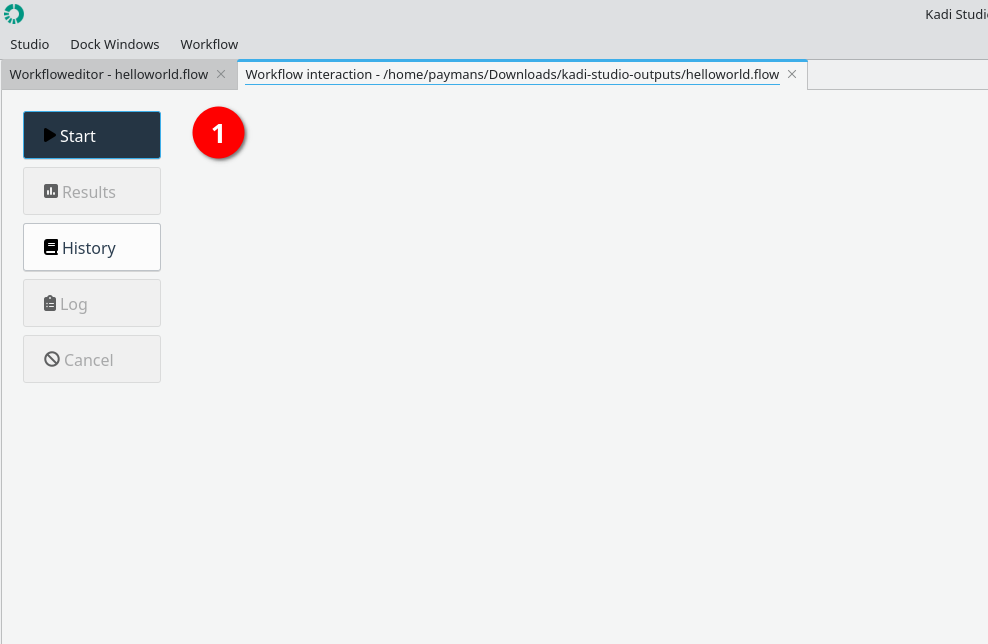
3- Status: Finished
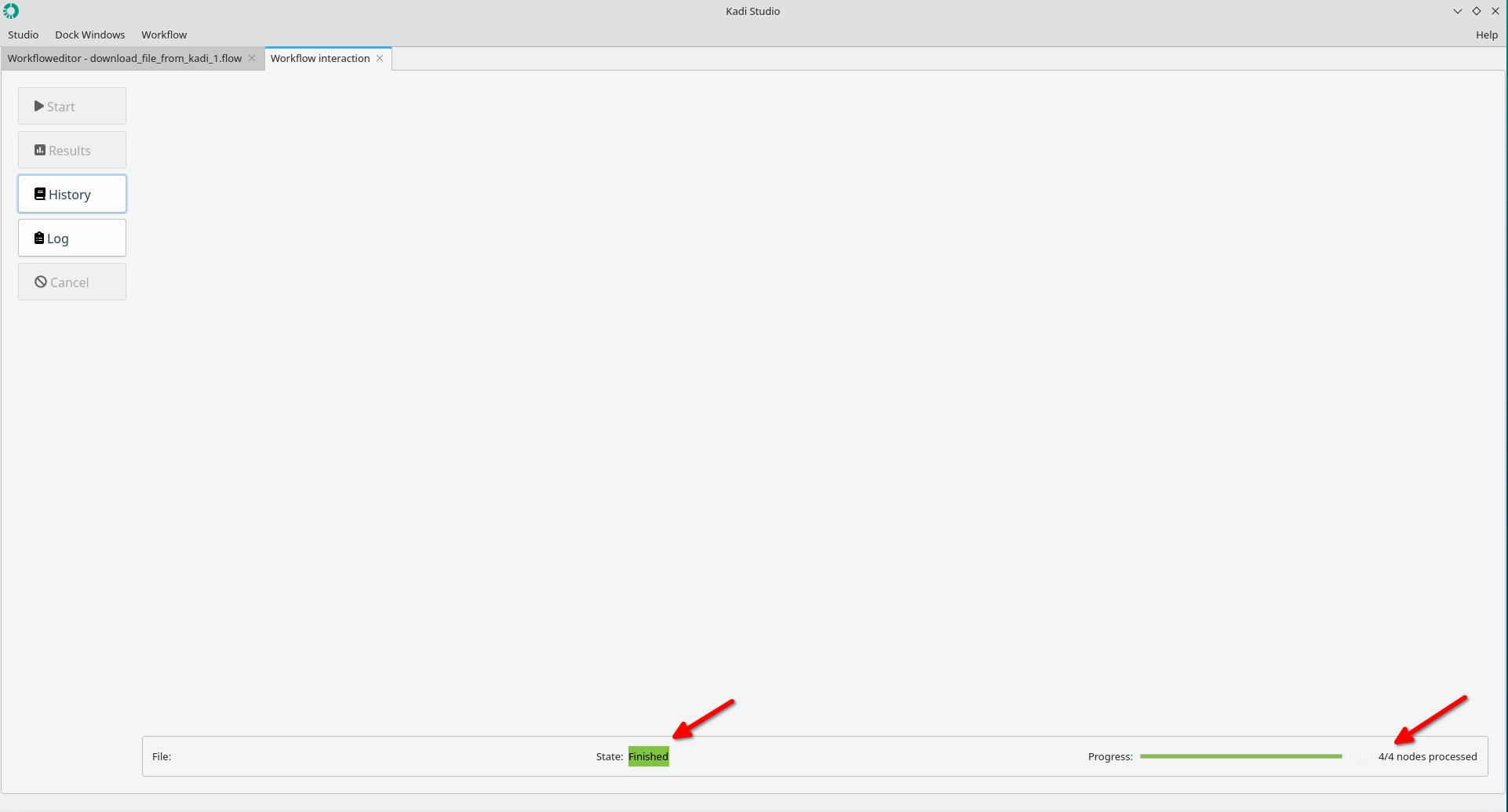
4- The file is stored at the specified path.
Done.