Table of Contents
- Table of Contents
- Goal
- Prerequisites
- Final Workflow
- R ans Python Script
- Creating and Filling out
- Connection
- Running
- Results
Goal
Run R and Python scripts in parallel inside KadiStudio.
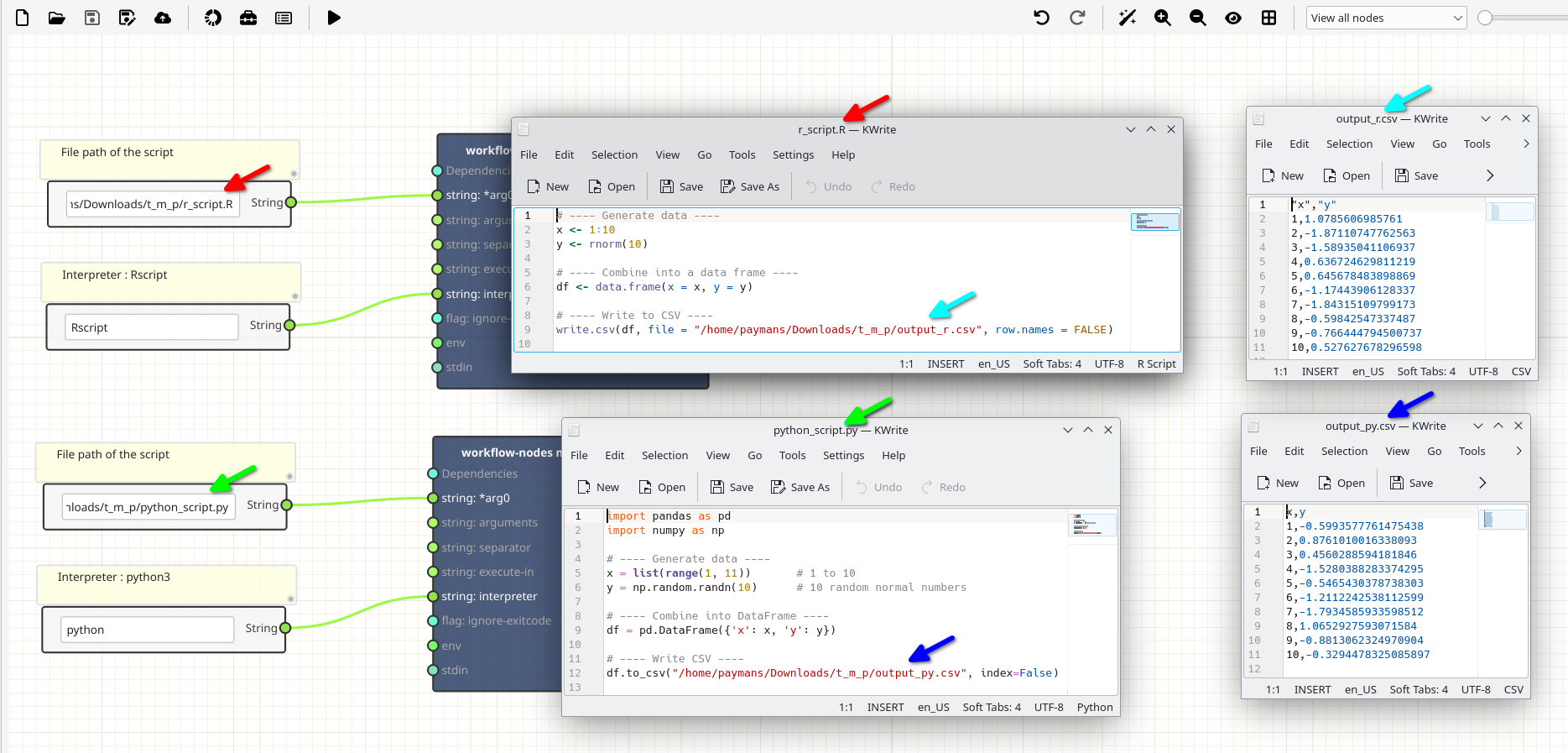
Important note: The R and python scripts already contain the path where output files are saved.
Prerequisites
-
KadiStudio is installed and running.
- See: Installation Guide
-
Tools are downloaded and available.
- See: in progress
-
You are familiar with Built-in Nodes and Environment Nodes.
-
You already have the R script (r_script.R).
- R is installed.
- Python 3 is installed.
- (Optional) Required Python libraries (pandas, numpy) are installed or available via a virtual environment.
Final Workflow
The figure below shows the final layout of the workflow.
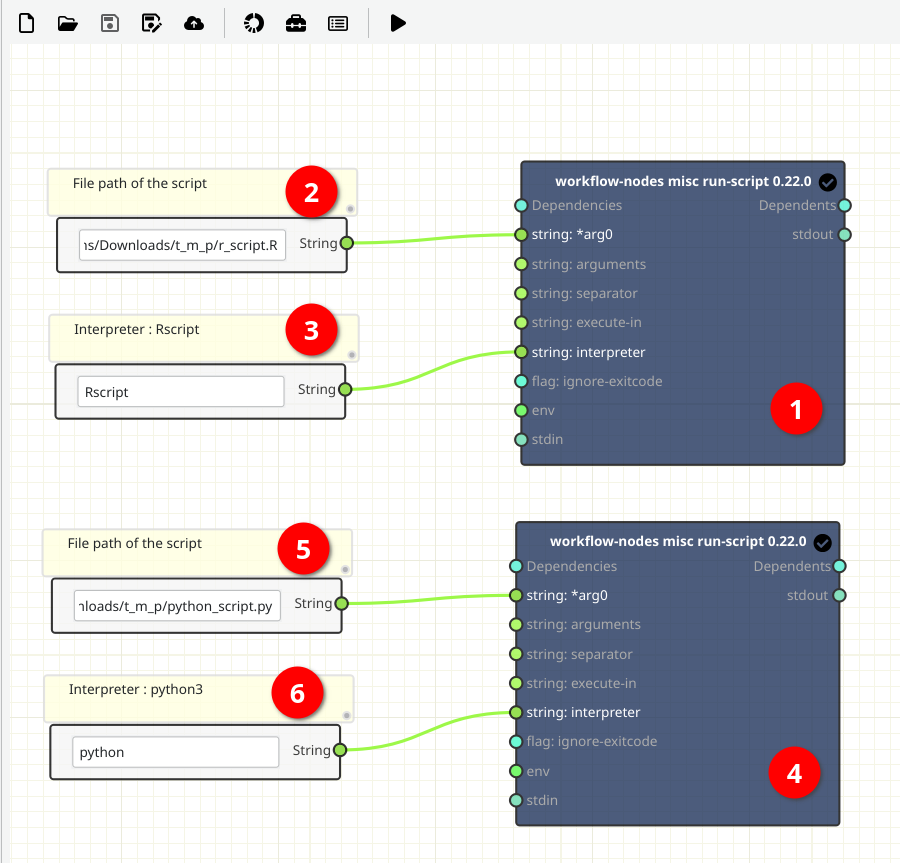
R ans Python Script
The image below shows the contents of the scripts used in this tutoria
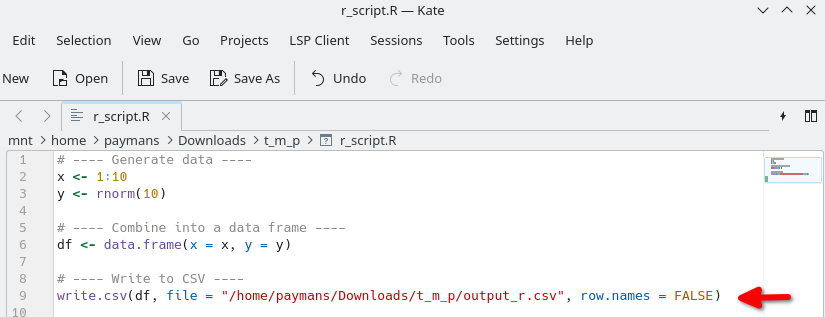
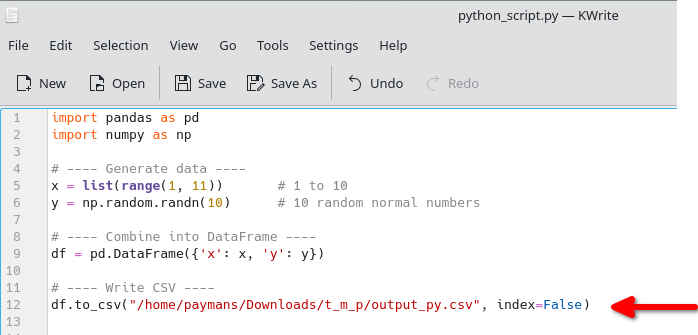
The R and Python scripts already contain the path where output files are saved.
Creating and Filling out
1- [Node 1, 4] - Add a workflow-nodes misc run-script Node
-
Where to read more:
https://workflow-nodes.readthedocs.io/en/stable/usage/cli.html#workflow-nodes-misc-run-script
-
How:
- In the workspace, right-click and from Add tool (Top), search run and select workflow-nodes misc run-script (Bottom).
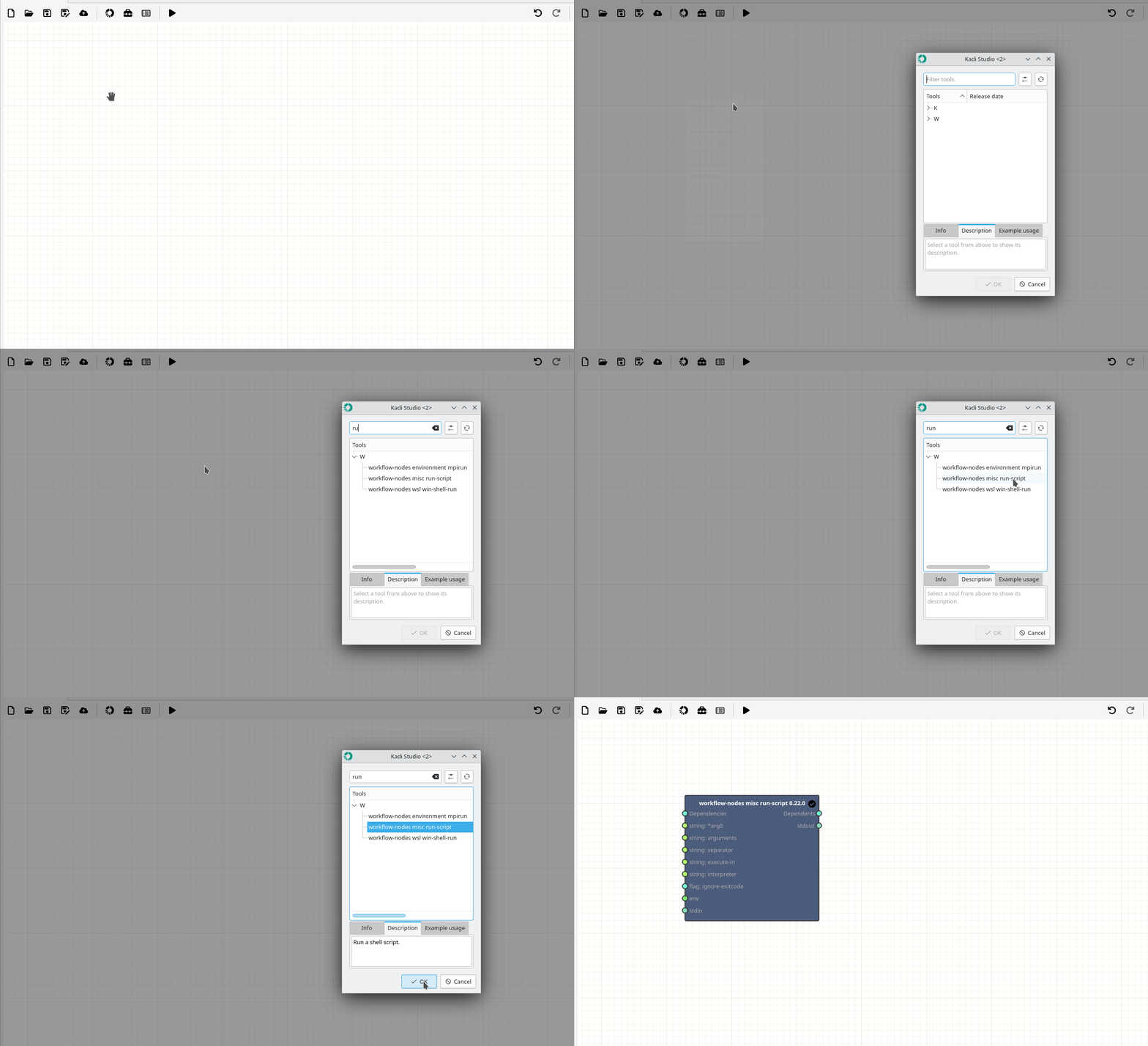
2- Add and fill out Source Text Nodes (Variables)
-
How:
- In the workspace, right-click and select Add Source → String (2, 3, 5, 6).
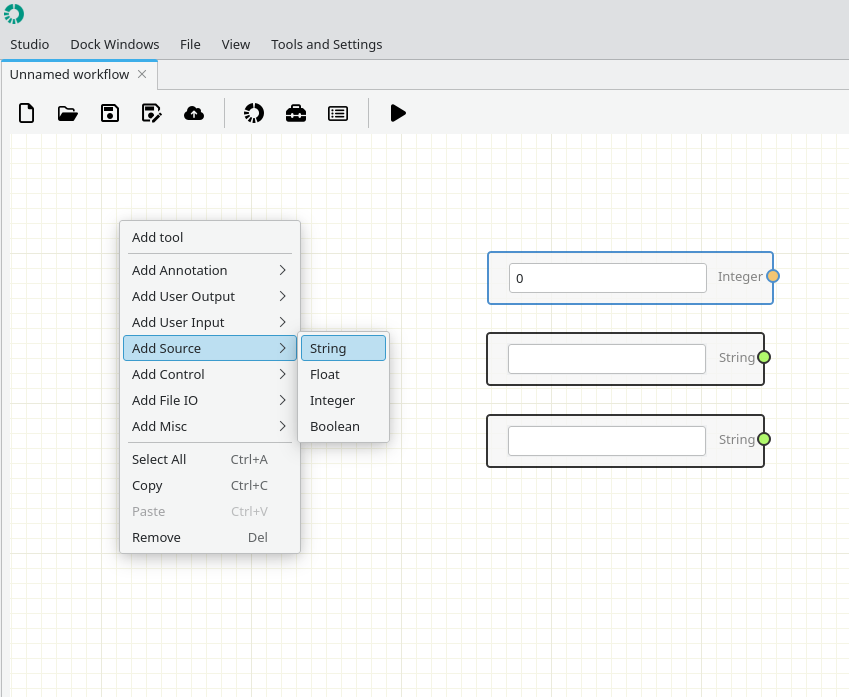
- Node 2 and 5 : File path of the scripts. (Mandatory)
- Node 3 and 6 : Interpreters(Mandatory, Rscript is designed to execute R scripts non-interactively).
Connection
- Pay attention to the ports colors.
- Strings (light green)
Running
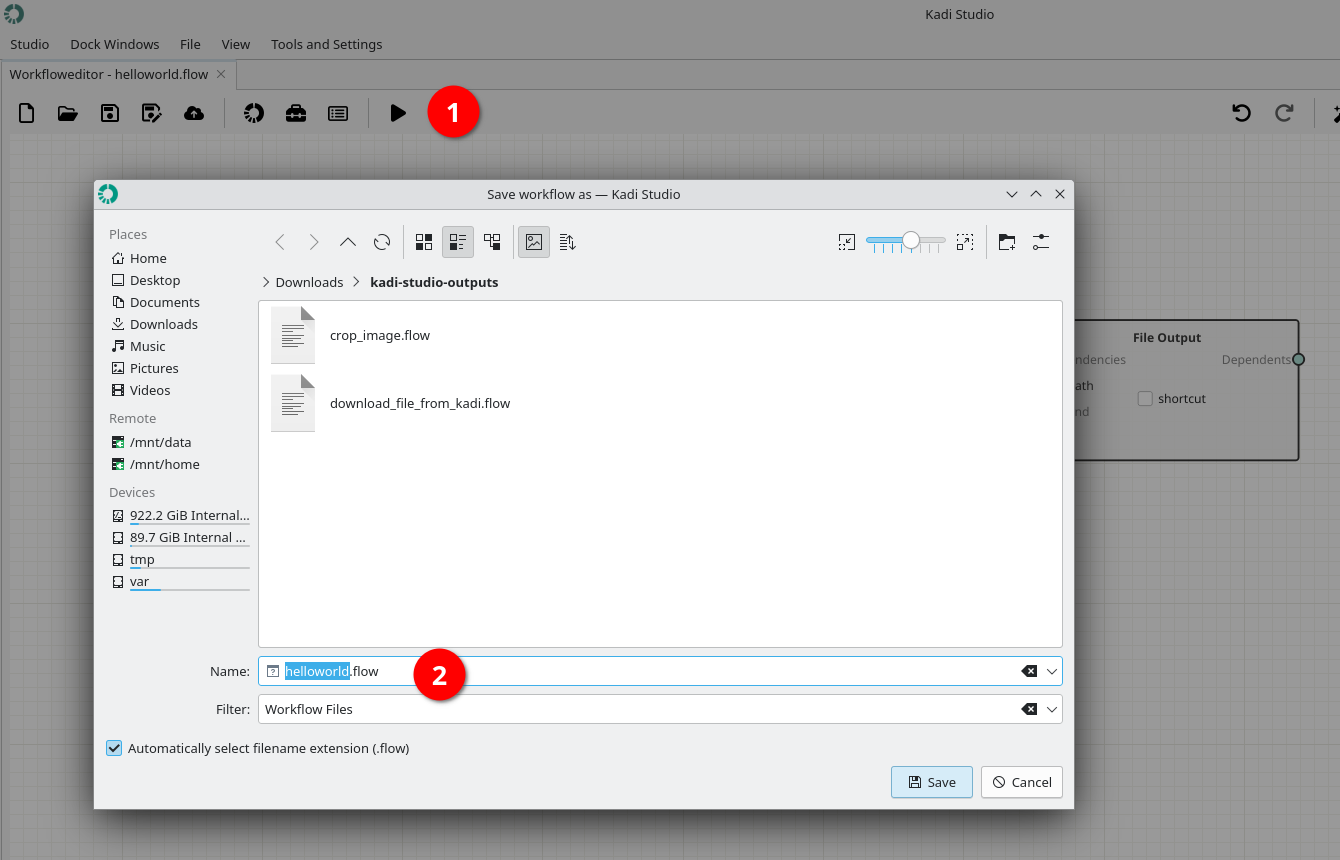
1- Save the workflow by pushing Play button.
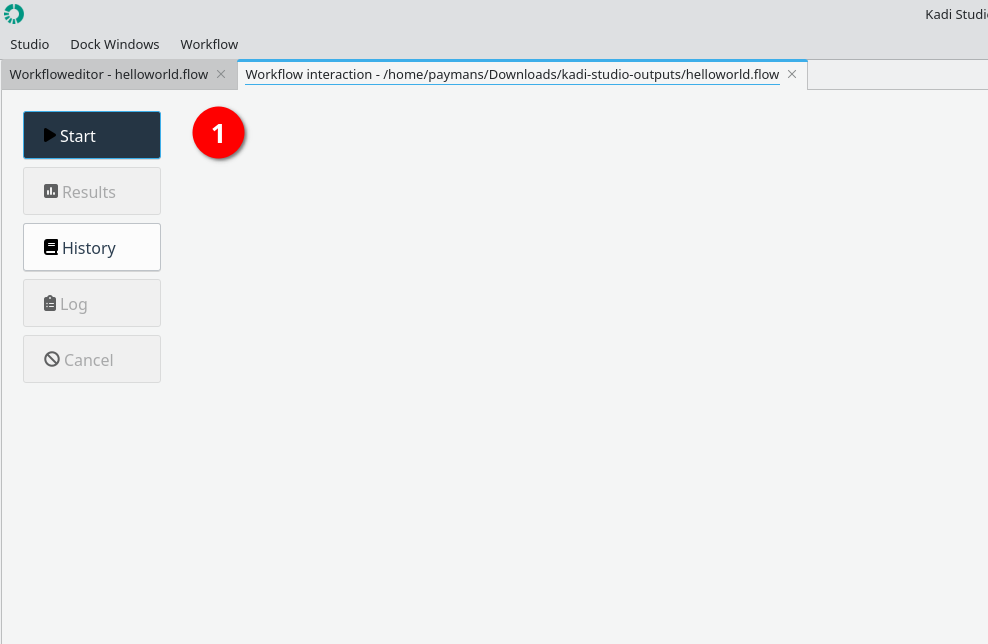
2- Start running the workflow by using Start button.
3- Status: Finished
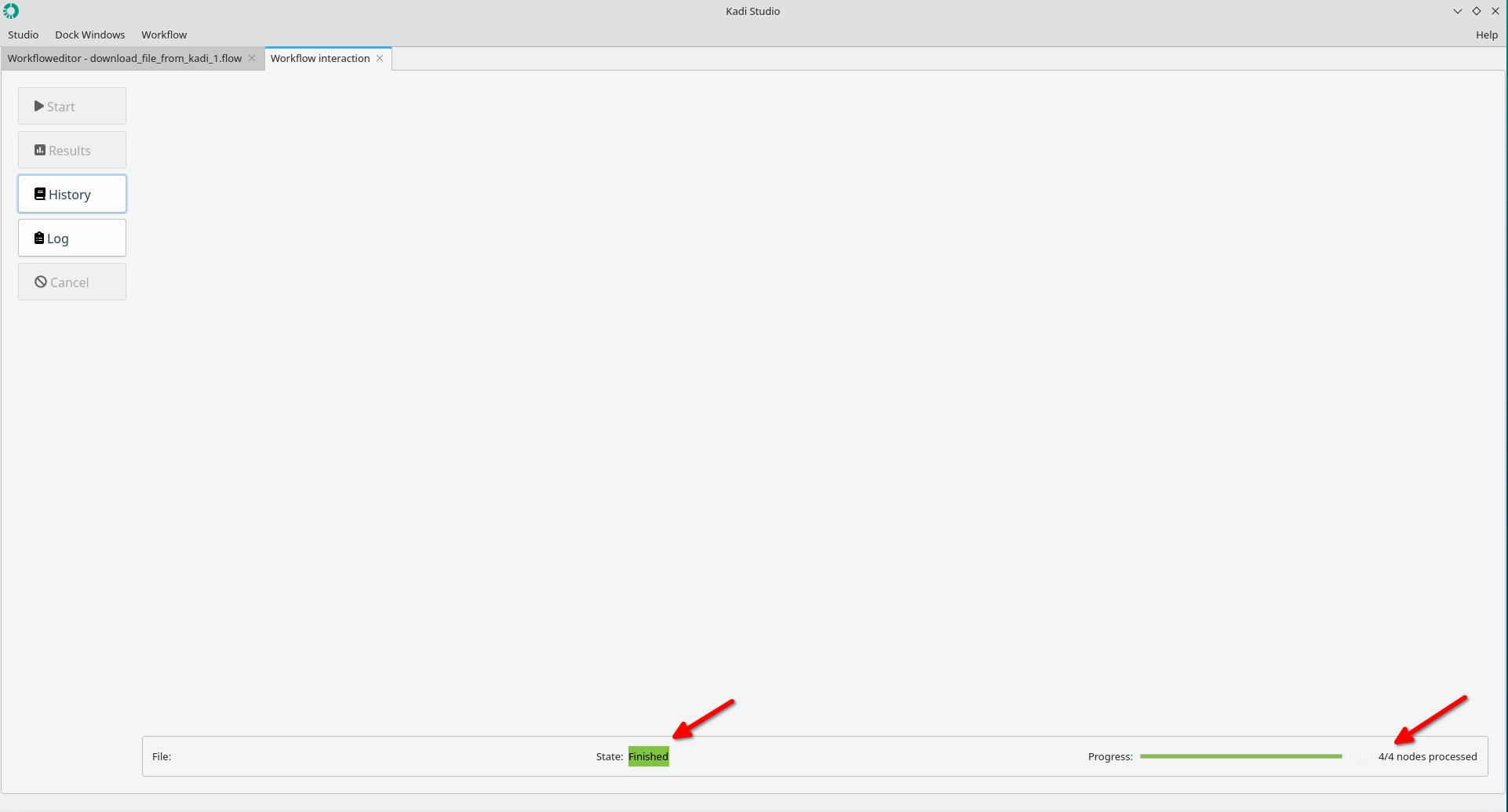
4- The file is stored at the specified path.
Results
The figure below shows the results.
Done.